GitHub Copilot Review (2026): Features, Pricing, Pros, Cons & Is It the Best AI Coding Assistant?
Advertisement
Reserved ad space · Google AdSense
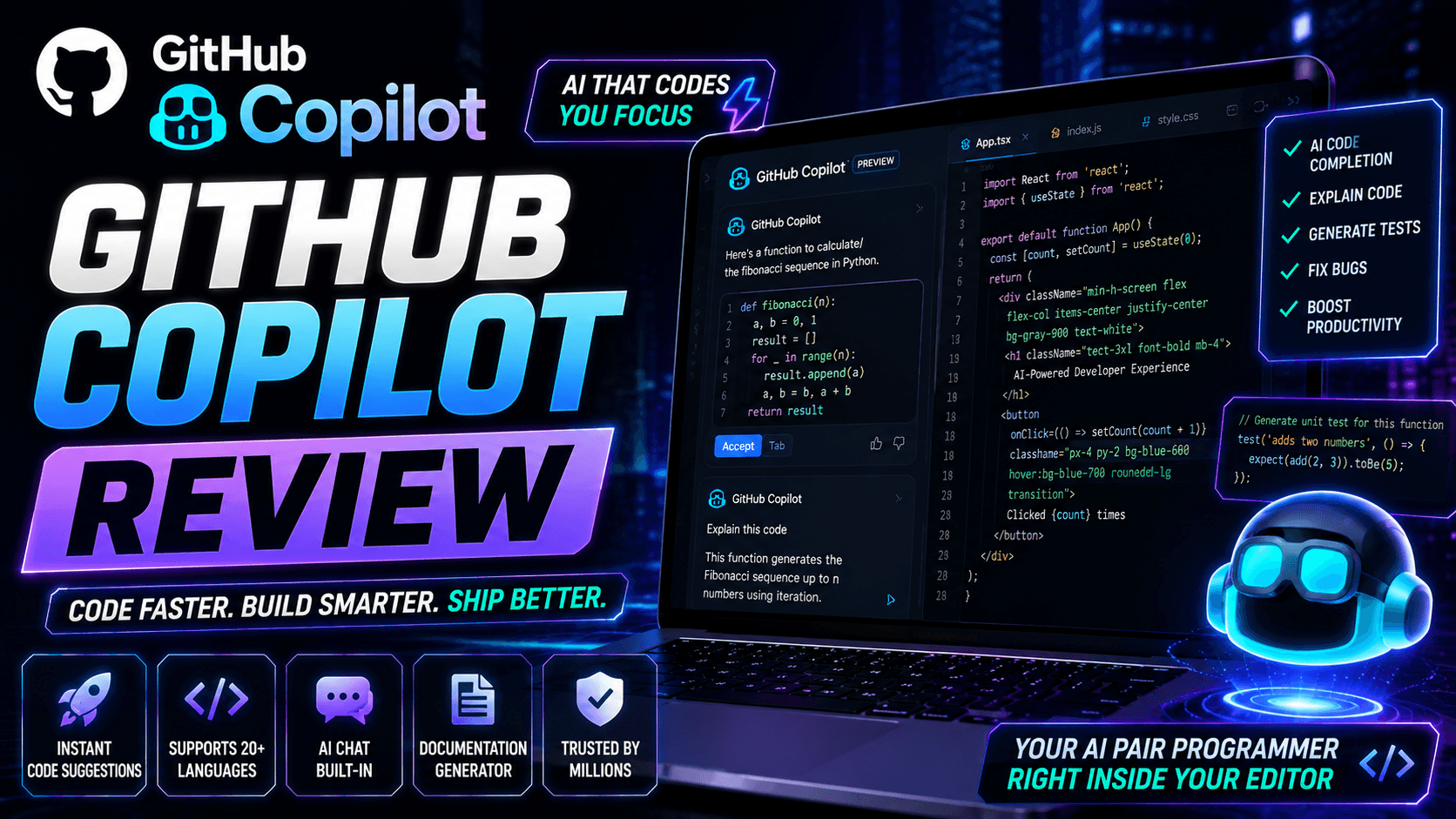
GitHub Copilot Review (2026): The Complete AI Coding Assistant Guide
Artificial Intelligence has changed the way developers write software. Instead of typing every line of code manually, developers can now use AI-powered coding assistants that generate suggestions, explain code, fix bugs, and accelerate development.
Among the most popular AI coding assistants available today is GitHub Copilot.
Developed through a collaboration between GitHub and OpenAI, GitHub Copilot is designed to assist developers while writing code directly inside their favorite code editor.
Whether you're a beginner learning programming or an experienced software engineer working on large-scale applications, GitHub Copilot aims to improve productivity and reduce repetitive coding tasks.
In this complete review, you'll learn how GitHub Copilot works, its features, pricing, supported IDEs, advantages, limitations, and whether it's worth using in 2026.
What is GitHub Copilot?
GitHub Copilot is an AI-powered coding assistant that provides real-time code suggestions while developers write software.
It integrates directly into supported development environments and helps generate code based on natural language comments, existing project context, and partially written code.
Rather than replacing developers, GitHub Copilot is designed to function as an AI pair programmer that assists throughout the software development process.
How GitHub Copilot Works
The workflow is simple.
- Open your preferred supported IDE.
- Install the GitHub Copilot extension.
- Sign in with your GitHub account.
- Start writing code.
- Receive AI-generated code suggestions.
- Accept, modify, or reject suggestions.
- Continue building your application.
The more context available in your project, the more relevant Copilot's suggestions are likely to be.
Key Features
GitHub Copilot offers numerous features that improve the software development experience.
Some of the most notable capabilities include:
- AI code completion
- Whole function generation
- Code explanation
- Code optimization
- Bug fixing assistance
- Test generation
- Documentation generation
- Natural language to code
- AI chat assistance
- Code refactoring
- API examples
- SQL query generation
- Regular expression assistance
- Boilerplate code generation
- Learning programming concepts
Supported Programming Languages
GitHub Copilot can assist with many popular programming languages.
Examples include:
- JavaScript
- TypeScript
- Python
- Java
- C#
- C++
- PHP
- Go
- Rust
- Ruby
- Swift
- Kotlin
- Dart
- HTML
- CSS
- SQL
- Shell scripting
Support quality may vary depending on the language, framework, and available project context.
Supported Development Environments
GitHub Copilot integrates with several popular development tools.
Commonly supported environments include:
- Visual Studio Code
- Visual Studio
- JetBrains IDEs
- Neovim
- GitHub.com
Supported integrations may expand over time.
AI Chat
GitHub Copilot also provides conversational assistance for developers.
It can help with tasks such as:
- Explaining code
- Debugging errors
- Generating examples
- Refactoring code
- Writing documentation
- Learning frameworks
- Understanding APIs
- Reviewing logic
- Creating unit tests
Developers should still verify AI-generated responses before using them in production.
Code Completion
One of GitHub Copilot's strongest features is intelligent code completion.
Instead of suggesting only the next word or line, it can often generate:
- Entire functions
- Classes
- Components
- API handlers
- Database queries
- Utility functions
- Configuration files
- Test cases
This helps reduce repetitive coding and speeds up development.
Documentation Generation
Writing documentation is often time-consuming.
GitHub Copilot can assist with:
- Function documentation
- API documentation
- Code comments
- README files
- Technical explanations
- Project summaries
Generated documentation should always be reviewed for accuracy and completeness.
Bug Fixing Assistance
Developers can use Copilot to help:
- Identify common coding mistakes
- Suggest possible fixes
- Improve readability
- Simplify complex logic
- Refactor repetitive code
- Optimize certain implementations
While useful, AI suggestions should not replace thorough testing or code reviews.
Productivity Benefits
Many developers use GitHub Copilot to reduce repetitive work.
Potential benefits include:
- Faster coding
- Reduced boilerplate
- Improved learning
- Better documentation
- Rapid prototyping
- Cleaner workflows
- Faster debugging
- Increased productivity
The overall productivity gain depends on the project, developer experience, and review process.
Who Should Use GitHub Copilot?
GitHub Copilot can be valuable for:
- Frontend developers
- Backend developers
- Full-stack developers
- Mobile app developers
- Students
- Freelancers
- Agencies
- Startups
- Enterprise teams
- Open-source contributors
It can also be helpful for developers learning new programming languages or frameworks.
Advantages
Some of the biggest advantages include:
- Fast AI code suggestions
- Excellent IDE integration
- Supports many programming languages
- Helpful AI chat
- Documentation assistance
- Test generation
- Code explanation
- Productivity improvements
- Beginner-friendly learning support
Limitations
Like any AI coding assistant, GitHub Copilot has limitations.
Examples include:
- AI-generated code may contain bugs.
- Suggestions may not always follow project-specific standards.
- Security and performance should always be reviewed.
- Generated code should be tested before deployment.
- Developers remain responsible for the final implementation.
Copilot is a productivity tool, not a substitute for software engineering knowledge.
Pricing
GitHub Copilot offers different subscription plans, including options for individual developers, businesses, and organizations. Features, pricing, eligibility, and usage limits may change over time, so it's recommended to check GitHub's official pricing page for the latest information.
GitHub Copilot vs Traditional Coding
Traditional software development requires writing every function manually.
GitHub Copilot accelerates this process by suggesting code as you work, allowing developers to spend more time on architecture, business logic, and problem-solving rather than repetitive syntax.
Many professional developers combine AI assistance with manual coding and code reviews to maintain quality.
GitHub Copilot vs Other AI Coding Assistants
GitHub Copilot is part of a growing ecosystem of AI development tools.
Other AI coding assistants may focus on conversational programming, full application generation, debugging, or UI creation.
GitHub Copilot stands out because of its deep IDE integration, real-time code completion, and broad language support.
The best choice depends on your workflow, preferred editor, programming languages, and development needs.
Frequently Asked Questions
Is GitHub Copilot free?
GitHub Copilot offers different plans, and free access may be available for certain users or under specific eligibility programs. Check GitHub's official website for current details.
Can GitHub Copilot write entire applications?
It can generate significant portions of code and assist with application development, but complete production-ready applications typically require developer review, customization, testing, and maintenance.
Does GitHub Copilot work with Visual Studio Code?
Yes. Visual Studio Code is one of the primary supported development environments.
Can GitHub Copilot explain code?
Yes. GitHub Copilot Chat can help explain code, suggest improvements, and answer programming-related questions.
Is GitHub Copilot good for beginners?
Yes. It can help beginners understand programming concepts, explore new frameworks, and learn coding patterns. However, beginners should focus on understanding the generated code rather than simply accepting suggestions.
Tips for Better Results
To maximize GitHub Copilot's usefulness:
- Write clear function names.
- Add descriptive comments.
- Keep your project organized.
- Review every AI-generated suggestion.
- Test generated code thoroughly.
- Follow your team's coding standards.
- Use AI as a learning tool, not a replacement for understanding.
Well-structured projects and clear prompts often lead to more relevant code suggestions.
Final Verdict
GitHub Copilot is one of the most mature AI coding assistants available today. Its real-time code suggestions, broad language support, IDE integrations, and conversational coding capabilities make it a valuable productivity tool for developers of all experience levels.
Whether you're building websites, APIs, mobile apps, automation scripts, or enterprise software, GitHub Copilot can reduce repetitive work and speed up development. While it doesn't replace software engineering expertise, it can become an effective AI pair programmer when used thoughtfully alongside testing, code reviews, and sound development practices.
Disclaimer
This article is published for educational and informational purposes only. GitHub and GitHub Copilot are trademarks of GitHub, Inc. Features, pricing, integrations, supported IDEs, and availability may change over time. Always refer to the official GitHub documentation and website for the latest information.
Advertisement
Reserved ad space · Google AdSense
Comments (0)